A diagram worth reading
Place components, route wires and tune label positions. Choose source symbols, custom TeX labels and visual component variants.
 METRLab Circuits
Draw, simulate and typeset in one thoughtful workspace.
Built for the moments when the reasoning matters as much as the answer.
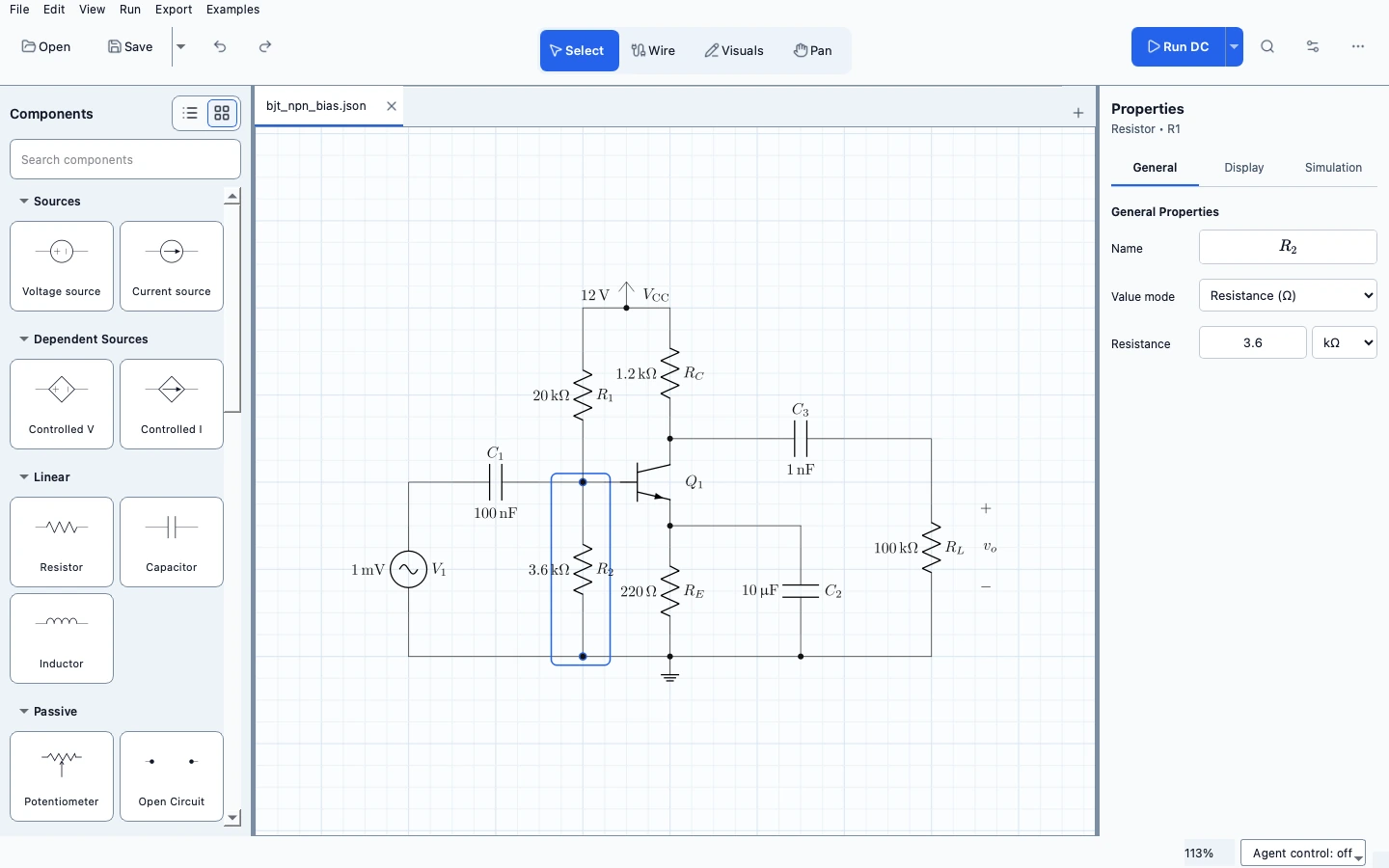
A teaching-focused environment that keeps the diagram, the mathematics and the results within reach.
Place components, route wires and tune label positions. Choose source symbols, custom TeX labels and visual component variants.
Explore operating points, phasors, transient responses, Bode plots and linear Fourier analysis. Available analyses depend on the circuit model.
Use parameter sweeps, grouped signal plots, cursors and optional diagram annotations to connect values with behaviour.
Generate editable CircuiTikZ. Export supported circuits to ngspice or editable KiCad schematics, with notices for unsupported mappings.
A standalone app.
Not a whole suite to install.
ARM64 · Native macOS app
Download unavailableRelease details load automatically.
SHA-256 checksumPreview build. The local DMG is ad-hoc signed, not Apple-notarized. Developer ID signing and notarization are needed before a polished public release.
Ubuntu 22.04+ · Graphical desktop
Download unavailableRelease details load automatically.
SHA-256 checksumA portable .tar.gz with a per-user installer and app-menu entry. No sudo or separate Python installation required.
Verified macOS and Linux previews are available to invited testers. A download code is required; the app asks for a separate activation code on first launch.
The essentials before you begin.
On macOS, open the DMG and drag METRLab Circuits to Applications. On Linux, extract the archive and run ./install.sh from the extracted folder, or start the executable in app/ directly.
Python and the core application dependencies are bundled. Drawing and simulation do not require a TeX installation. Exact compiled TeX/CircuiTikZ previews require a compatible external TeX toolchain; mathematical display has fallbacks when it is absent.
No. This is a developing, teaching-focused application with explicit model and analysis boundaries. SPICE export supports a documented subset. Check model notices and independently verify results for engineering work.
The application is under active development. Keep backups of important circuits and expect rough edges. This page deliberately distinguishes build availability from signing, notarization and platform verification.