Build with familiar blocks
Connect sources, gains, summing junctions, transfer functions and state-space systems on a grid-aware canvas.
 METRLab Blocks
Connect ideas, simulate their behaviour and follow the signal through. A visual workbench for learning dynamics and control.
Explore the workbench ↗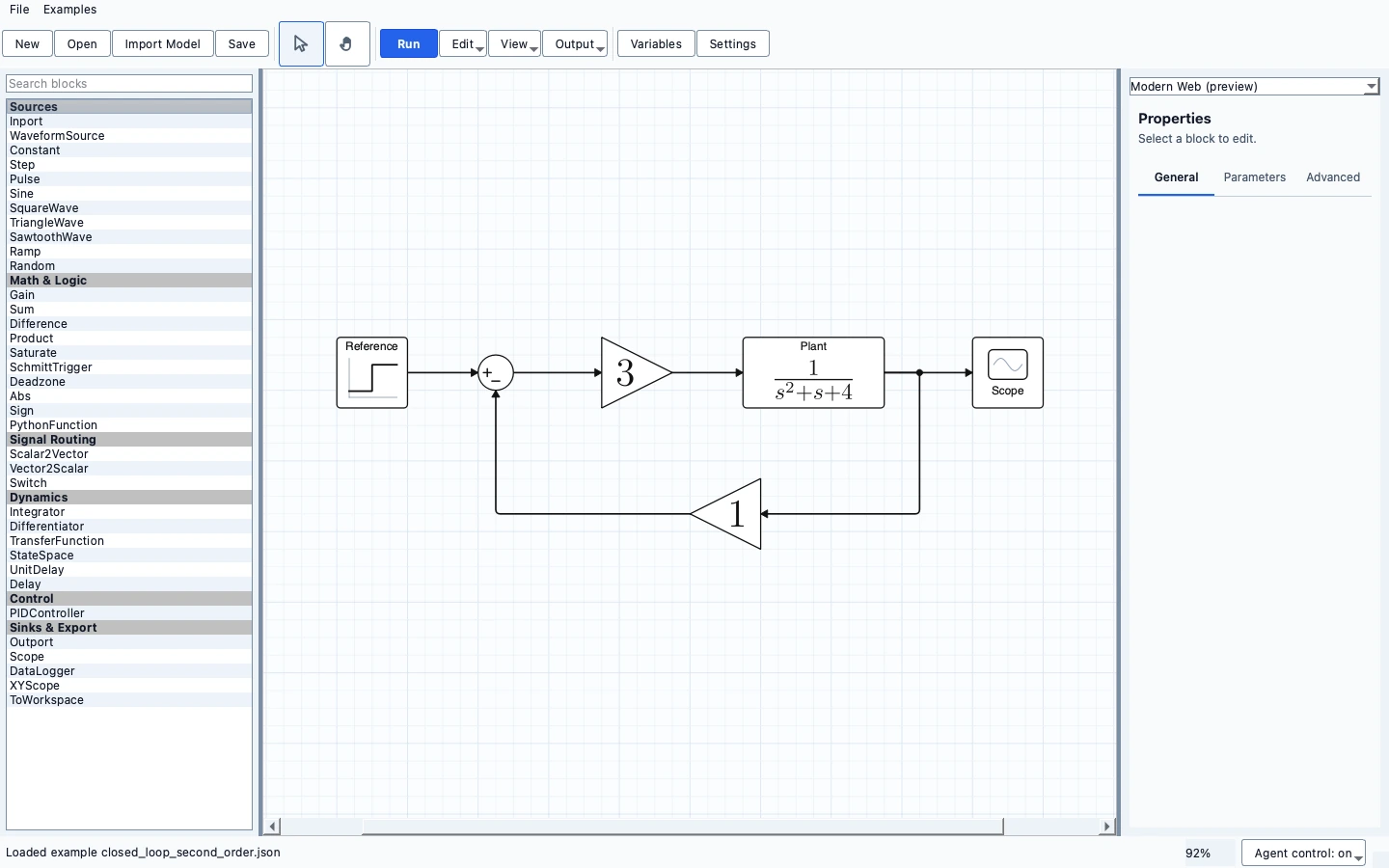
One focused app, connected to a family of engineering workbenches. Install what you need; keep each app independent.
Connect sources, gains, summing junctions, transfer functions and state-space systems on a grid-aware canvas.
Simulate continuous systems and supported discrete diagrams. Inspect scope plots without losing the model that produced them.
Work with explicit parameters, mathematical block labels and editable diagrams. Validation explains unsupported connections and algebraic loops.
Save portable JSON diagrams and generate TikZ output. Keep a readable model alongside the results.
METRLab Home is optional.
The app runs independently.
Standalone installer not yet published
The page is ready; the installer is not. A download will be enabled only after a native build is packaged and verified.
Standalone installer not yet published
No Linux binary is attached to this page. Platform verification is separate from product-page availability.
Educational software, under active development.
Supported continuous and discrete models have different simulation constraints. This is a teaching-focused tool, not a claim of complete Simulink compatibility.
No. Each workbench is a separate application. Home is an optional launcher that discovers installed apps and links to pages for the others.
Normal editing and simulation use local documents. Optional connected features have their own configuration; these product pages contain no analytics, account system or upload form.
Not from this page yet. The first packaged preview is Circuits; other standalone app installers require their own native build and verification.
See Circuits downloads ↗