Start with the environment
Edit occupancy grids and choose start and goal positions directly in the planning workspace.
 METRLab Navigation
Draw the environment, choose a planner and explore how a route emerges. A visual lab for path-planning algorithms.
Explore the workbench ↗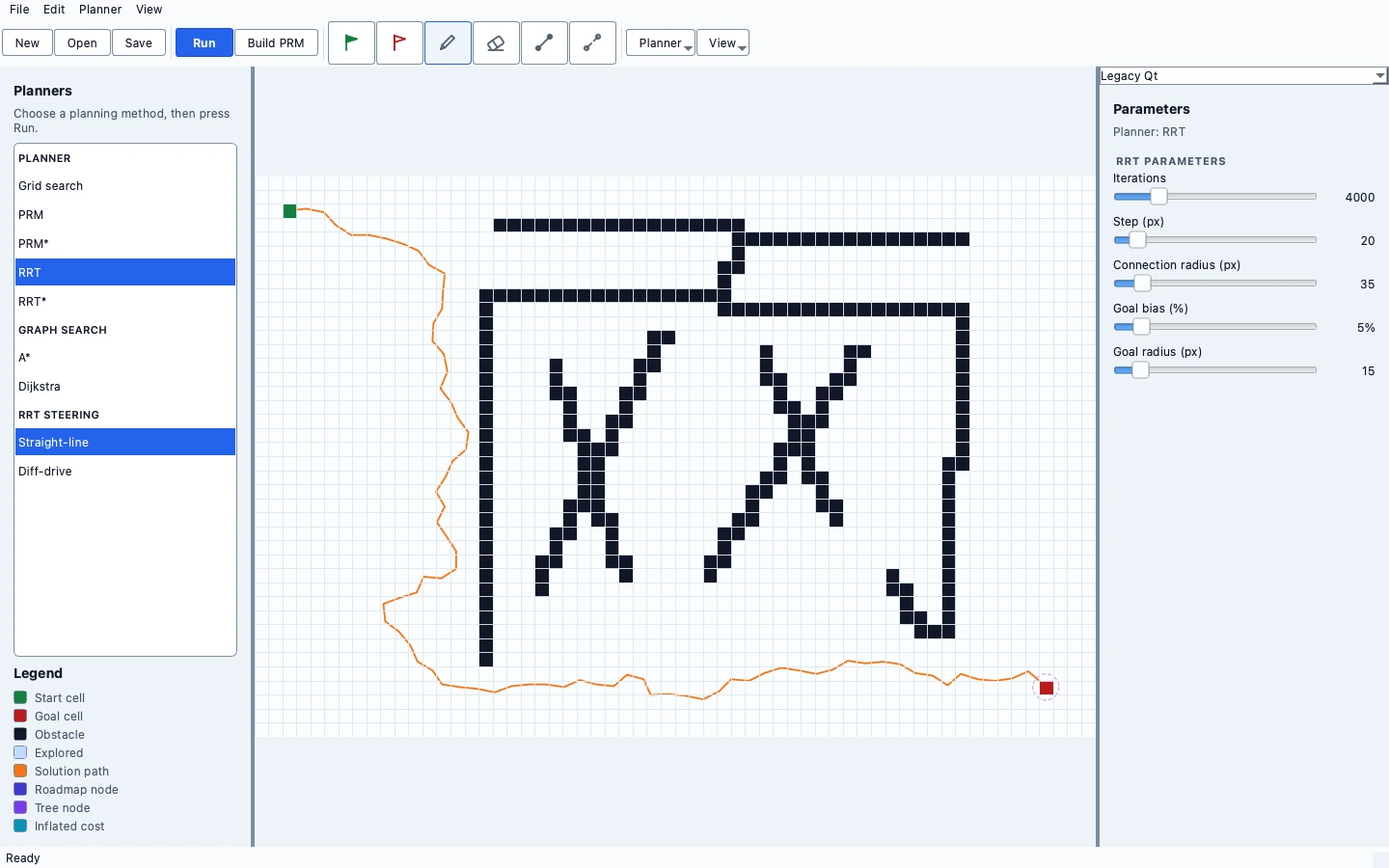
One focused app, connected to a family of engineering workbenches. Install what you need; keep each app independent.
Edit occupancy grids and choose start and goal positions directly in the planning workspace.
Explore A* and Dijkstra alongside supported PRM, PRM*, RRT and RRT* planners.
Inspect the planner’s map, search structures and resulting route using the existing visual controls.
Save planning documents and return to bundled grid examples with the same environment and parameters.
METRLab Home is optional.
The app runs independently.
Standalone installer not yet published
The page is ready; the installer is not. A download will be enabled only after a native build is packaged and verified.
Standalone installer not yet published
No Linux binary is attached to this page. Platform verification is separate from product-page availability.
Educational software, under active development.
A teaching and experimentation tool, not a real-world navigation or obstacle-avoidance safety system. Sampling-based planners do not guarantee a solution in a bounded run.
No. Each workbench is a separate application. Home is an optional launcher that discovers installed apps and links to pages for the others.
Normal editing and simulation use local documents. Optional connected features have their own configuration; these product pages contain no analytics, account system or upload form.
Not from this page yet. The first packaged preview is Circuits; other standalone app installers require their own native build and verification.
See Circuits downloads ↗