Continuous and discrete
Configure supported signals in one workspace, with separate mathematical conventions for continuous time and discrete time.
 METRLab Signal Explorer
Move between time and frequency, continuous and discrete. An interactive space for understanding signals and their transforms.
Explore the workbench ↗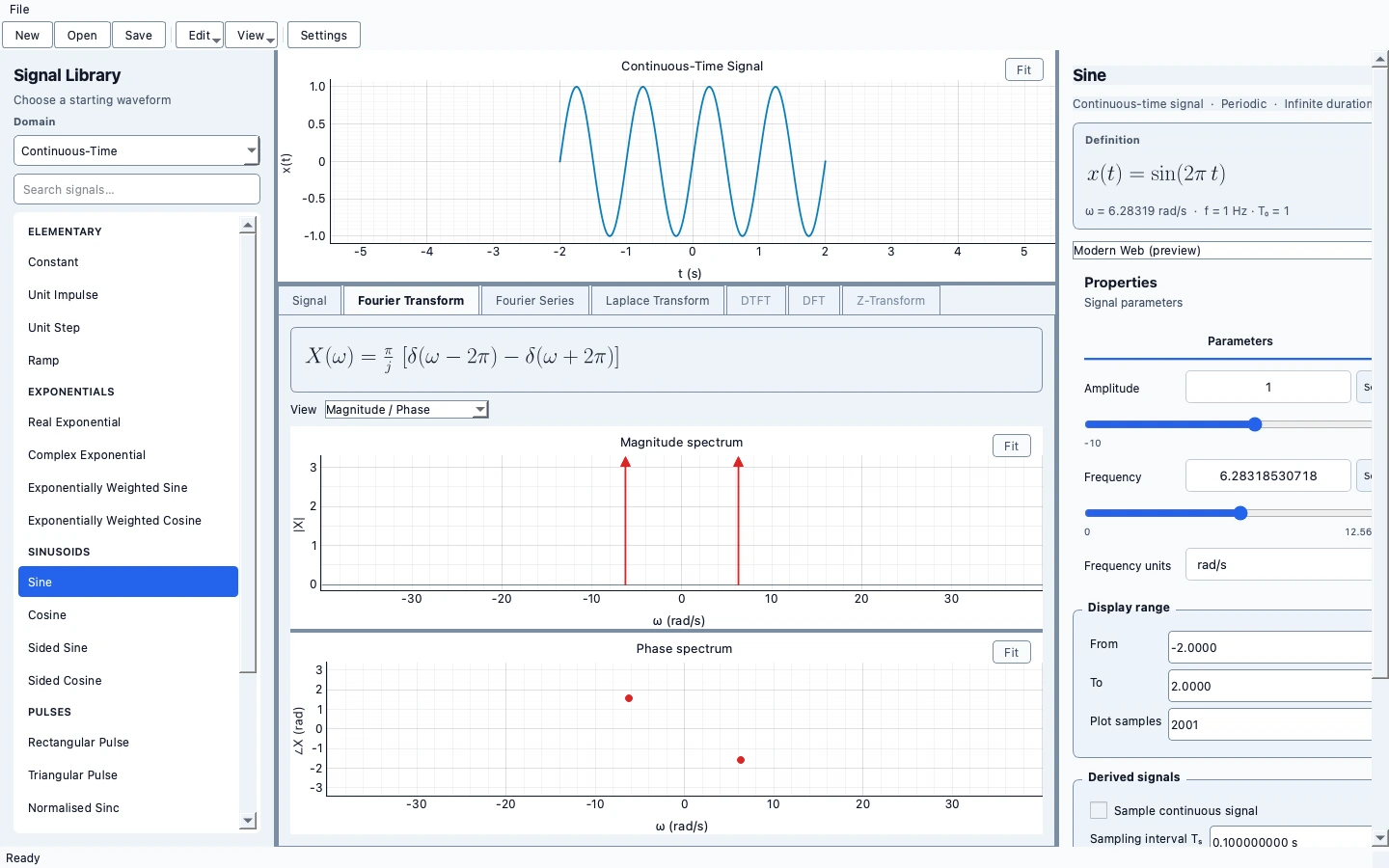
One focused app, connected to a family of engineering workbenches. Install what you need; keep each app independent.
Configure supported signals in one workspace, with separate mathematical conventions for continuous time and discrete time.
Compare CTFT, Fourier series, DTFT and DFT views. Use the analysis appropriate to the selected signal.
Adjust signal and analysis parameters and inspect the resulting plots with the existing interactive controls.
Save portable workspaces and revisit bundled examples without reconstructing your settings.
METRLab Home is optional.
The app runs independently.
Standalone installer not yet published
The page is ready; the installer is not. A download will be enabled only after a native build is packaged and verified.
Standalone installer not yet published
No Linux binary is attached to this page. Platform verification is separate from product-page availability.
Educational software, under active development.
Sampling, finite windows and analysis choices affect numerical transform results. Check conventions and resolution rather than treating a plotted spectrum as exact in every case.
No. Each workbench is a separate application. Home is an optional launcher that discovers installed apps and links to pages for the others.
Normal editing and simulation use local documents. Optional connected features have their own configuration; these product pages contain no analytics, account system or upload form.
Not from this page yet. The first packaged preview is Circuits; other standalone app installers require their own native build and verification.
See Circuits downloads ↗